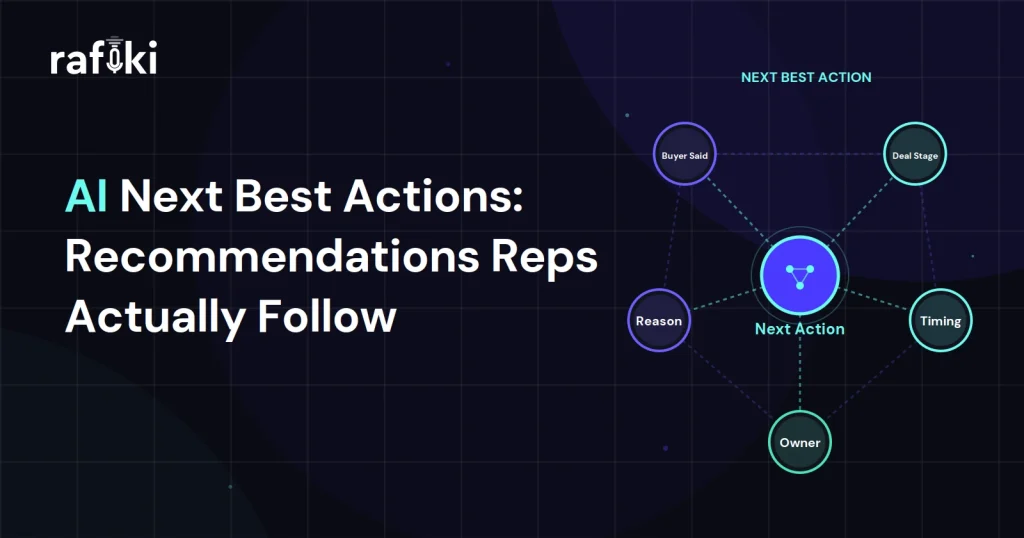
At 8:40 on a Wednesday, an AE opens a mid-market opportunity and a card slides into the CRM sidebar. It tells her to "engage the economic buyer to accelerate this deal," a line she has seen four times since Monday. She clicks the X before the text finishes loading, and the tool logs one more dismissed next best action without asking her why.
Two opportunities further down, a different card quotes Tuesday's call, where the IT lead said security review starts once her team has the questionnaire. It suggests sending it today and offering a review call with the SE. The AE sends the questionnaire before lunch, and the IT lead accepts a review slot for the following Monday. Both cards reached the same rep in the same sidebar within a minute, and only the second one knew what the buyer had said.
When the sidebar goes quiet, most sales leaders blame the reps and put an adoption target on the team dashboard. That target aims at the wrong people, because reps will act on any card that quotes the buyer and says why today matters. They skip the rest for reasons any manager would accept after reading the card once.
A next best action is a specific recommendation for the one step most likely to move a deal forward right now. It usually appears in the CRM, the inbox, or a call-prep view, and the rep can accept it, change it, or decline it.
That last part separates it from a task. Once a manager or a workflow creates a task, the rep owns it and has to close it out. A recommendation is only a proposal, so the rep has to judge it, and she can only judge what the card explains.
Most tools build these cards from two kinds of logic. Rules fire on activity data, such as a rule that suggests a call after two weeks with no logged touch. Models compare stage and engagement against past wins, then rank the possible steps. Either approach can work, but neither beats its data, and activity data says little about what the buyer asked for.
Reps dismiss the typical next best action prompt because it could apply to any deal in the pipeline. Cards like "Multithread this opportunity" and "Share a relevant case study" fit nearly every open deal. They tell the AE nothing she did not know when she woke up. An AE who ignores them is protecting her next ten minutes, and she has it right.
Timing kills most of the cards that survive that first test. A follow-up card that lands three days after the call reaches a rep who sent the recap from the parking lot. During pipeline review or another buyer's call, she closes any new card unread because she cannot act on it then.
The third failure rarely comes up in the vendor demo, where every card looks sensible on sample data. Many cards show a line like "Deal health: 58, take action" with no reason attached. An AE cannot check a number she cannot trace, so she trusts her own read of the account and moves on.
The usual advice is to train reps to trust the model, and that advice gets the risk wrong. A seller who follows a card she cannot explain to her manager carries all the downside if it misfires. Our earlier piece on why reps ignore the AI you bought covers the rollout side of this problem. The recommendation problem is narrower, because it comes down to what each card says and when it shows up.
Gartner published a press release in May 2026 on this exact question. It reported that sales organizations providing AI-enabled next best actions are 2.6 times more likely to achieve commercial growth. The survey behind it covered 227 chief sales officers and 645 B2B buyers. According to the same release, organizations that prioritize seller AI upskilling are 2.4 times more likely to achieve strong revenue growth.
Read the wording closely before that figure lands in your budget deck. Gartner measured organizations that provide next best actions, and a card every rep dismisses still counts as provided. That finding supports the spend, but it cannot tell you which cards your reps will act on.
The upskilling figure connects here, since a rep who knows where a card's content comes from can spot a lazy one. In the same release, Gartner predicts that by 2027, 95% of sellers' research workflows will begin with AI. When most prep starts with a machine suggestion, that suggestion shapes what the AE knows walking into the call.
The cards reps follow share a few traits, and none of them depend on a clever model. Each trait below answers a question the AE asks herself in the second before she clicks accept or dismiss.
The strongest recommendations cite a moment from a real conversation, with the date and the speaker. A line like "the CFO asked on Tuesday about annual invoicing" gives the rep a reason she can verify in seconds. Cards built from email opens and page visits cannot do this, because those signals show attention without intent.
A good card says what to do and why the buyer needs it now. For example, "send the per-seat pricing breakdown, since procurement asked for it before their budget meeting" names both. Compare that with "advance the opportunity," which states a hope and leaves the AE to work out the rest.
The right moment is usually the hour after a call or the ten minutes before the next one. Right after the call, the rep can still send what the buyer asked for while the buyer remembers asking. On Friday afternoon the same card competes with every other open item that week, and it usually loses.
When the recommendation lives in a separate dashboard, the AE has to remember to open it, and by week two she stops. Put it on the opportunity record or in the pre-call brief she already reads. RevOps should settle placement before anyone argues about model accuracy, since a well-built card in a tab nobody opens never reaches the rep.
Go back to the second card from the opening scene and look at what it held. It named the IT lead by role and quoted the condition she set for starting security review. Tuesday's call appeared as the source, and the card proposed one action plus one follow-up step with a named colleague.
The AE could check every claim on that card by opening the call summary, though she did not need to. Once she read the quote, she could hear the IT lead saying it, and that recall had her drafting the email before lunch.
Look also at what the card left out. It skipped the deal score and the urgency label, and it offered one move without a menu of alternatives beside it. One step with one reason gave her a decision she could make in seconds, and the review slot was on the calendar that same day.
This comparison sets the card most teams ship today beside the kind reps act on. Most of the differences sit in the source data and the wording, far more than in the model.
| Element | Generic prompt | Grounded recommendation |
|---|---|---|
| Source | Activity logs and stage age | What the buyer said on a recorded call |
| Wording | "Engage the economic buyer" | "The CFO asked about annual invoicing on Tuesday" |
| Reason shown | A score with no explanation | The quote, the speaker, and the date |
| Timing | Whenever the rule fires | Right after the call or before the next one |
| Placement | A separate dashboard tab | The opportunity record or follow-up draft |
| Rep response | Dismiss without reading | Act, edit, or decline with a reason |
| What the manager learns | Almost nothing | Which buyer requests reps skip |
Managers usually look at acceptance by rep, and that view points them at the wrong problem. Start with acceptance by recommendation type instead. If every AE dismisses a prompt, the prompt is bad, whoever the rep happens to be. Only after you remove the weak types does a rep-level view say anything about behavior.
Clicking accept proves very little, so check whether the step happened. Pull a handful of deals where a rep accepted a card last week and open the next call or email thread. If the card said to send the security questionnaire, find the email with the attachment and see whether the buyer replied.
Frontline managers should also hear one call a week where a rep dismissed a recommendation. Often the rep knew something the card did not, like a champion who asked her to wait until after a reorg. Those calls teach the manager more about the recommendation logic than any adoption chart.
Keep acceptance rates off the rep scorecard entirely. Once reps learn that accept clicks count in their review, they click accept on everything to clear the sidebar. At that point the data means nothing, and the manager has lost the one signal the tool produced. In the one-on-one, ask about the meetings a card helped book and skip the click count.
Teams add recommendation types every quarter and almost never remove one. Each weak card trains reps to dismiss the whole sidebar faster, so every active prompt type has to earn its slot. The RevOps leader who owns the tool should review every active type monthly against these signals:
A prompt that matches two of these should leave the sidebar for a month while RevOps rewrites it. If the rewrite still cannot cite a buyer moment, retire it for good and tell the reps it is gone.
Most tools treat a dismissal as an embarrassment and leave it off the adoption dashboard. Treat it as a message from the person closest to the deal, and ask the rep for a short reason when she declines. A dropdown with a few options works well, plus an optional line of free text.
Useful options include "already done" and "buyer asked us to wait," plus "wrong contact" when the card names the wrong person. A pile of "already done" on one prompt type tells the RevOps lead the trigger reads stale activity data. When "buyer asked us to wait" dominates, the logic ignores what reps hear, so the trigger needs to read call content.
Resist the urge to make the reason mandatory on every dismissal. A required field on an unwanted card turns the sidebar into a form, so reps pick the first option to escape. Ask for reasons only on the prompt types you are tuning, and drop the request once a type holds up for a month.
Grounded recommendations depend on having the buyer's words on hand, and Rafiki AI transcribes every call the team records. It handles more than 60 languages, so a team selling across regions keeps the same record in each market. That searchable record of the buyer's own words is what conversation intelligence adds to the source data behind a next best action.
After each call, Smart Call Summary summarizes the conversation, so the AE can find the buyer's requests without replaying the recording. Rafiki AI also detects blockers the buyer raises and maps which stakeholders joined each call. Smart CRM Sync fills in methodology fields and custom CRM fields from the conversation. A rule or model that reads those fields then works from the call itself, where before it saw only activity data.
The most common step after a call is a follow-up email, which Smart Follow Up drafts for the AE to review. Before acting on a card, a rep can use Ask Rafiki to check what the IT lead said about security on Tuesday.
Managers can use Gen AI Search to find calls where buyers raised a topic, which shows whether an accepted card led to a real conversation. Smart Call Scoring scores calls against any methodology or against custom criteria. A manager can add a criterion like "rep confirmed the buyer's requested next step with a date" and see which calls missed it.
In the last week of October, the RevOps lead should export what the tool records about opened, accepted, and dismissed prompts. Sort that export by recommendation type and pick the two types reps dismiss most often. For each one, pull a few recent deals where it fired and read the latest call summary beside the card.
Where the call contains a buyer request the card ignored, rewrite the prompt to cite that kind of moment. If instead the rep already handled the step, fix the trigger or switch the prompt off. Aim to ship the changes by Friday, November 6, so reps see a cleaner sidebar before the year-end push.
At the next team meeting, the frontline manager should name the prompts RevOps removed and explain why each one went. November's dismissal reasons will then show whether reps give the remaining cards a closer read.
Your team's recorded calls already hold the buyer requests your recommendation cards should quote. Rafiki AI's conversation intelligence costs $19 per seat per month and keeps a transcript and summary of every call it records. Open a free trial and read one AE's October call summaries beside the prompts that AE dismissed this month. To watch a summary and CRM fields come out of a single call first, book a demo with the Rafiki AI team.
A strong example quotes the buyer and names the step, like sending the questionnaire the IT lead requested on Tuesday. The card shows the speaker, the source call, and the reason to act today. Weak versions say "engage the economic buyer," which fits almost any deal.
Once a manager or workflow creates a task, the rep owns it and must complete it. A next best action is a recommendation from a system, and the rep can accept, edit, or decline it. That choice is why the card has to explain its reasoning.
Measure acceptance by recommendation type first, then check whether the accepted step happened in the next email or call. Acceptance clicks alone mislead, because reps can accept a card just to clear it. Calls where reps dismissed a prompt show what the logic is missing.
Mandates backfire, because reps start clicking accept to clear the sidebar and the data stops meaning anything. Let reps decline with a short reason, and use those reasons to fix or retire weak prompts. Aim for a small set of cards good enough that reps act on them without a push from their manager.
Start for free — no credit card, no seat minimums, no long contracts. Just better sales intelligence.