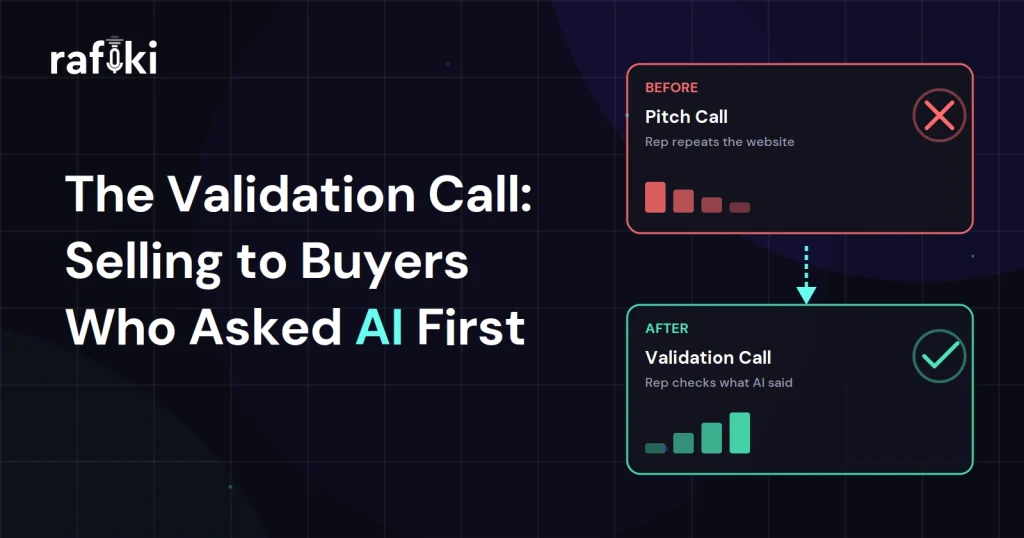
The operations director joins the first call with an AI assistant's comparison of four vendors open on her second screen. Before the account executive can share his agenda, she reads him what it says about his product. The AI gets two points right, but it quotes a pricing model his company dropped last year and claims the product has no integration with her CRM. What she needed was a validation call to check that research line by line, but the rep had prepared a twenty-slide pitch.
He runs the deck anyway, and she waits until minute twenty-five to ask about the integration. The rep fixes the error in one sentence, but she has already sat through slides she did not need. She also leaves unsure which other parts of the summary were wrong, so she plans to ask the next vendor.
Plenty of first calls now start this way, because buyers do their early research with generative AI tools before they talk to anyone. When the rep treats that first meeting as a chance to check the research claim by claim, the buyer's real questions come up in the first ten minutes. The sections below show how an AE runs that kind of call and how the team sends repeat AI errors back to marketing each month.
A validation call is a sales conversation where the rep checks what the buyer already learned from AI research. The buyer arrives with a shortlist and a summary of each vendor. From there, the rep works through that summary with the buyer point by point, agreeing with some claims and correcting others with proof.
This call usually replaces the first discovery call or the first demo, depending on how far the buyer got alone. In practice, the buyer usually books it later than the rep expects, after ruling out some vendors and forming a view on price. Discovery questions still matter, but they work better once the rep knows what the buyer believes.
The main practical difference from a pitch is that the buyer sets the agenda. A rep who ignores the buyer's claims and presents the standard deck pushes every question to the end. Some buyers never ask those questions at all and simply drop the vendor from their list. When the rep opens with the buyer's research, the call covers the points that decide the shortlist.
We looked at how these buyers skip vendor websites in our piece on the AI-researched buyer. This article picks up at the moment that buyer finally agrees to talk to someone.
Buyers use AI because it is fast and private, and they still call a rep because they do not fully trust its answers. Gartner's buyer research shows both habits in the same group of people.
In a May 2026 press release, Gartner shared results from a survey of 645 B2B buyers. The firm conducted it in August and September 2025. According to the survey, 45% of buyers used generative AI for vendor and product research. In the same group, 51% expect generative AI to give them misleading information, and 69% prefer to validate AI-generated insights with a sales rep.
That survey wave also produced a finding that looks like a contradiction at first. In a March 2026 press release, Gartner reported that 67% of B2B buyers prefer a rep-free experience. The same release said confident buyers are twice as likely to report high-quality deals. Read together, the findings describe a buyer who wants to work alone but wants a person to check the risky parts.
For a sales team, this means the buyer may agree to only one or two live meetings, and each one needs to settle doubts the AI created. If the rep spends that time on a generic pitch, the buyer takes those doubts to whichever vendor answers them first. Some buyers go further and hand parts of procurement to AI agents, as we covered in selling to AI buyers.
AI research tools summarize whatever public content they can find, so their mistakes repeat from buyer to buyer. Once reps learn the patterns, they can spot most errors in the first few minutes of a call.
Buyers rarely know which parts of their summary are wrong, and that is why they bring it to the call. When a rep spots one of these errors, the fix usually takes one sentence and one piece of proof. For example, the rep might open the current pricing page or show the integration settings while the buyer watches.
Open by asking what the buyer already knows, then sort their research before you present anything. Four steps cover the first ten minutes, and they work on video calls and phone calls alike.
The rep can ask, "What did your research tell you about us?" in the first two minutes, before any slides. Most buyers answer openly, because the question shows respect for the work they already did. If the buyer hesitates, the rep can explain that many buyers start with an AI assistant now. Hearing its summary lets the rep skip what the buyer already knows.
The buyer's prompt shapes the answer, so it helps to know what they asked the tool. A request for "the cheapest option for a small team" produces a very different summary from a question about security. In practice, the prompt often reveals the buyer's top priority faster than a scripted discovery question.
As the buyer reads through the summary, the rep repeats each claim and labels it accurate or wrong. This lets the buyer hear the rep agree with most of the research, so the corrections land more easily. It also gives both people a shared list to work from for the rest of the meeting.
Some corrections need evidence the rep can share right away. Others need a follow-up from a product specialist or a customer reference, and those take a day or two. Before moving on, the rep and the buyer agree on which claims need proof and when the answers will arrive. The rep then puts that list in the recap email the same day.
The easiest way to fix an AI error is to treat it as a fair conclusion from old sources, then show the current fact and move on. Buyers tend to defend research they did themselves, so a flat "that's wrong" makes them defend the tool they picked.
A better approach names the likely source of the mistake. For example, the rep might say the price the buyer found matches a plan the company retired last year. Then the rep opens the current pricing page on screen, which takes about ten seconds. The buyer learns the right number and also learns why the tool missed it, which helps them judge the rest of the summary.
A few habits keep corrections short and calm:
Sometimes the AI summary is right, and the rep wishes it were not. If it says the product lacks a feature the buyer needs, the rep should confirm the gap plainly. A workaround belongs in the answer only if a real one exists. Buyers remember which vendor told them the truth about a gap, and they trust that rep's later answers more.
Confirming accurate claims deserves as much care as correcting wrong ones. Each confirmation tells the buyer their research was worth doing, and it makes them more certain about the decision. Gartner's March release connects that kind of buyer confidence to higher-quality deals, so reps have a practical reason to say yes out loud.
Confirmation works best when the rep adds a detail the AI could not know. If the summary says the product suits small teams, the rep can agree and add how a similar team usually sets it up. The buyer keeps their own conclusion and also gets a concrete picture of the first week.
Reps should also confirm the buyer's shortlist logic when it holds up. If the buyer ruled out two vendors for sound reasons, saying so builds trust quickly. It also keeps the conversation on the buyer's decision criteria, where the rep wants it to stay.
For a buyer who arrived with AI research, a pitch and a validation call differ in almost every part of the meeting. This comparison shows where each format spends the rep's time.
| Part of the call | Pitch call | Validation call |
|---|---|---|
| Agenda | The rep's standard deck | The buyer's list of claims |
| First five minutes | Company overview and logos | "What did your research tell you?" |
| Discovery | Scripted questions from a template | Questions built on the buyer's prompt |
| Wrong information | Buyer raises it at the end, if at all | Rep corrects each claim with proof |
| Follow-up email | Generic recap and next meeting | Confirmed points and open corrections |
| What marketing learns | Nothing from the call | Recurring AI errors to fix at the source |
Most reps learned to pitch, so running a validation call takes practice. Frontline managers can fit that practice into the coaching time they already hold each week.
Start by collecting the AI claims buyers raised on recent first calls. A manager who listens to a handful of those calls will usually hear the same errors repeat. Those errors make good practice material for pairs of reps. In each session, one rep plays the buyer and reads an AI summary aloud while the other works through it.
Managers can score practice sessions and real calls on four behaviors that belong to this format:
Newer reps usually struggle with the correction step, because they worry about sounding defensive. A few rounds of practice help, since the rep hears a calm correction in their own voice first.
When the same AI error shows up in several first calls, the fix belongs with marketing. The error comes from public content, and marketing either owns that content or can influence it. Sales leaders can set up a simple monthly loop that carries those errors from the call to the people who can fix them.
After each call, the rep notes every AI claim they corrected. Once a month, a product marketing manager or RevOps analyst reviews the notes and groups them by topic, such as pricing or integrations. The reviewer can often find the source by running the buyer's prompt in the same tool.
Old pricing usually traces back to an outdated page that still ranks in search. A missing integration might trace back to a thin help article that nobody updated after launch. Marketing can update or retire those pages, then rerun the same prompts a few weeks later to see what changed.
Reps hear AI summaries of the company more often than anyone else, since so many first calls now open with one. A conversation intelligence platform makes the loop practical, because the team can search the calls directly. As a result, reps no longer have to log each claim by hand.
Rafiki AI is the intelligence layer between your conversations and your revenue decisions. It records and transcribes calls in more than 60 languages, on video meetings and on Aircall and OpenPhone calls. So every validation call leaves a searchable record of what the buyer believed and what the rep said.
After each call, Smart Call Summary captures the questions the buyer raised and the rep's answers. That means account executives do not have to rebuild the list from memory. With Smart Follow Up, the rep gets a draft recap listing what the call confirmed and corrected, which the rep reviews before sending.
For coaching, Smart Call Scoring scores every call against any methodology or custom criteria. Managers can add validation behaviors to the scorecard, such as asking about the buyer's research early. Once the call ends, Smart CRM Sync fills in the CRM fields the team chooses, including custom ones.
The monthly marketing review gets easier with Gen AI Search. A sales leader can ask a plain question across recent calls, like which pricing claims buyers raised this quarter. Gen AI Reports turns those answers into a report marketing can read without opening recordings. For practice, sales enablement teams can use AI Role Play to let reps run the format with an AI buyer first.
Pick five first calls from the last month where the buyer mentioned an AI assistant. Listen to the first ten minutes of each, and write down every claim the buyer brought. For each claim, note whether the rep confirmed it or corrected it. Also note how many minutes passed before the rep asked about the buyer's research.
Then change one habit on next week's first calls, so that every rep asks about the buyer's research before sharing a slide. At the end of the month, repeat the review on a fresh set of calls and compare the two lists. Send any error that appears more than once to marketing with the call links attached. That gives them time to fix the source pages before January planning starts.
Rafiki AI's conversation intelligence platform starts at $19 per seat per month, with no seat minimum. Start a free trial to see how your reps handle buyer research on real calls. You can also book a demo and bring a recent first call to review together.
A validation call is a sales conversation where the rep checks the buyer's AI research before presenting anything. The rep confirms the accurate claims and corrects the wrong ones with proof. It usually takes the place of the first discovery call or demo for buyers who researched vendors alone.
Ask the buyer what their research said about you in the first two minutes, before you share a slide. Then ask what question they typed into the tool, because the prompt shapes the answer. Most buyers share both openly once the rep shows interest in the work they already did.
The rep should treat the error as a fair conclusion from old sources and show the current fact on screen. Naming the likely source helps the buyer judge the rest of their summary. If the rep cannot disprove a claim during the call, they should send an answer within a day.
Buyers want to handle most research alone, but they know AI tools can mislead them about vendors. A rep is the fastest way to check the few claims that will decide the purchase, like pricing or integrations. So the buyer skips the pitch but still books a call to confirm those details.
Start for free — no credit card, no seat minimums, no long contracts. Just better sales intelligence.