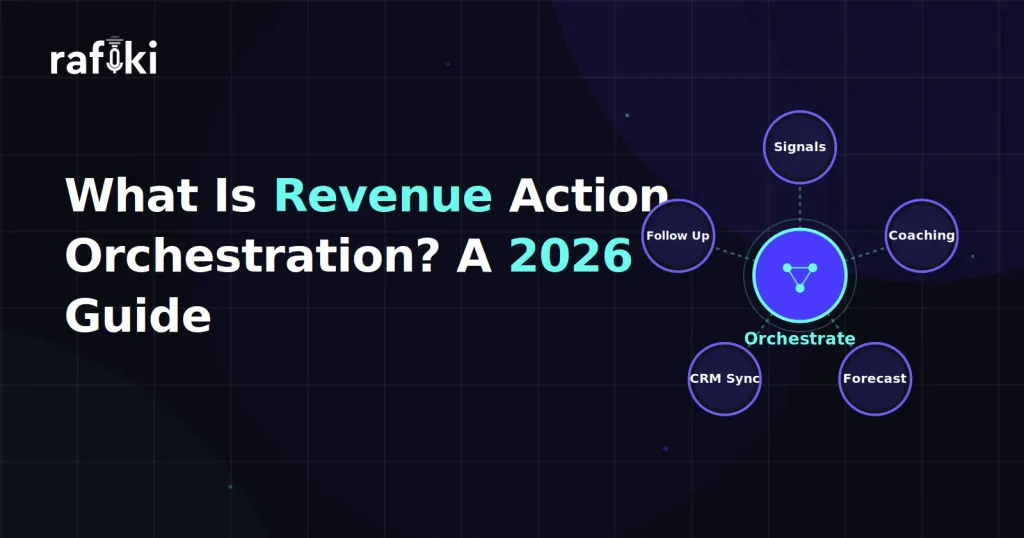
Revenue action orchestration is the coordinated use of AI to detect revenue signals, decide what should happen next, and execute those next steps — drafting the follow up, updating the CRM, alerting the right person — with human approval gates on anything consequential. The term describes an emerging software category that industry analysts, including Gartner, began framing as AI moved from summarizing sales conversations to acting on them. Put simply: recording and analysis were the last decade's categories, and orchestrated action is this one's.
If you evaluate revenue technology in 2026, you have almost certainly noticed the shift in vendor language. Tools that once promised "insights" now promise "outcomes." Dashboards are quietly giving way to agents. However, category labels change faster than underlying capabilities. It can be genuinely difficult to tell what is new, what is rebranded, and what actually matters for your team.
This guide takes a neutral, definition-first look at the category. We will cover where revenue action orchestration came from, how it differs from conversation intelligence and revenue intelligence, what orchestration looks like in daily practice, and how to evaluate platforms without assuming an enterprise budget.
Revenue action orchestration refers to software that connects three layers into one continuous loop. A signal layer captures what is happening across calls, emails, and CRM activity. A decision layer reasons about what those signals mean. Finally, an action layer executes the next step, either autonomously or after a human approves it. The defining trait is that the loop closes. Insight does not sit in a dashboard waiting for someone to notice it — instead, it becomes a drafted email, an updated field, a scheduled task, or an escalation.
Three characteristics separate orchestration from the automation tools that came before it:
In other words, orchestration is the connective tissue between knowing and doing. That distinction sounds subtle, yet it changes what a revenue tool is for.
The category did not appear from nowhere. It is the third step in a lineage that began with recording and has been climbing toward execution ever since.
Conversation intelligence arrived first. These tools recorded and transcribed sales calls, then layered on search, keywords, and coaching snippets. For the first time, revenue teams had an objective record of what buyers actually said. The limitation was equally clear, however: the output was a library. Someone still had to watch, read, interpret, and act.
Revenue intelligence came next. It widened the lens from single calls to entire deals and pipelines, correlating conversation signals with CRM data to flag risk, score deals, and sharpen forecasts. Analysis improved dramatically as a result. What did not change was the division of labor — the software diagnosed, and humans still executed every prescription themselves.
Revenue action orchestration closes that remaining gap. The same signals that once populated a dashboard now trigger reasoning, and that reasoning produces executed work product. Consequently, the measure of the software shifts from "what did it tell me?" to "what did it get done, and did I approve it?"
The simplest way to understand the category is to compare it directly with its two predecessors. Each generation kept the previous one's capability and added a new layer on top.
| Conversation Intelligence | Revenue Intelligence | Revenue Action Orchestration | |
|---|---|---|---|
| What it captures | Calls and meetings | Calls, emails, CRM, and pipeline activity | All revenue signals, continuously |
| What it produces | Transcripts, summaries, keyword trends | Deal scores, risk flags, forecasts | Executed actions plus the analysis behind them |
| What it acts on | Nothing — humans review recordings | Nothing — humans interpret dashboards | Follow ups, CRM updates, alerts, coaching tasks |
| Human role | Listener and note-checker | Analyst and interpreter | Approver and strategist |
| Core question answered | "What was said?" | "What does it mean?" | "What happens next — and who approved it?" |
Notice the pattern in the third row. Two full generations of revenue software produced information and left execution entirely to people. That is the specific inefficiency this category exists to remove.
Analysts argue that capture and analysis are converging with execution because insight, on its own, has a shelf life. A buying signal detected on Monday and acted on Friday is worth a fraction of the same signal acted on within the hour. Meanwhile, the volume of signals modern tools surface has outgrown any team's capacity to manually process them. More dashboards do not solve that; they deepen it.
Harvard Business Review's reporting on how successful sales teams are embracing agentic AI describes the same trajectory from the practitioner side. Teams getting value from AI let it carry work forward under supervision, rather than treating it as a smarter search box. The reasoning is straightforward. If a system can identify that a follow up is needed, knows what was discussed, and knows what the next step should contain, asking a human to retype all of that is pure friction.
There is also a structural argument. Recording tools sit closest to the richest data source in the revenue stack — the live voice of the customer. Because they already hold the context, they are the natural place for action to originate. A separate execution tool would need all that context piped in secondhand. Analysts therefore expect the categories to collapse inward: capture, reasoning, and action in one loop rather than three stitched-together products.
Revenue action orchestration exists because the gap between insight and execution is where revenue quietly leaks. The failure modes are familiar to anyone who has run a pipeline review:
None of these are analysis problems. Every one of them is an execution problem, which is precisely why another layer of reporting was never going to fix them. Orchestration attacks the leak at the point where knowing fails to become doing.
Strip away the vendor language and the working model is a three-stage loop: signals in, decisions in the middle, actions out. Approval gates sit wherever the stakes warrant them.
Everything starts with capture. Calls are transcribed and analyzed for topics, objections, sentiment, blockers, competitive mentions, and stakeholder participation. CRM activity, email threads, and engagement patterns feed the same stream. Crucially, signals are structured on arrival — scored against a methodology such as MEDDIC, BANT, or SPICED rather than dumped as raw text. A signal that is already classified is a signal the decision layer can reason about immediately.
The decision layer asks what the signals mean and what should happen as a result. For example: budget was confirmed but no economic buyer has joined a call, so the next step should push for that introduction. Or: sentiment dropped sharply on the renewal call, so the account needs an escalation, not a routine check-in. This is where orchestration earns its name — decisions weigh multiple signals across a deal's whole history, in contrast to trigger-based automation that sees one event at a time.
Finally, decisions become drafted work: a follow-up email awaiting the rep's edit and send, CRM fields populated and logged, a coaching clip queued for the manager, an alert routed to the account owner. Low-stakes actions — logging the summary, syncing fields — can run autonomously. Anything customer-facing or judgment-heavy waits at a human approval gate. The human contribution shifts from production to review, which is exactly where human judgment is most valuable.
The most common objection to the category is autonomy without oversight. Mature orchestration answers it with graduated trust: actions are tiered by consequence, and each tier gets a different control.
Auditability matters just as much as the gates themselves. Every action should carry a trail: which signal triggered it, what reasoning produced it, who approved it. That trail is what separates a supervised system from a black box. The framing to hold onto is enabler, not replacer — the software absorbs the administrative load, while people keep ownership of relationships and strategy.
Consider a single discovery call on a Tuesday morning. In an orchestrated stack, the meeting ends and the loop starts immediately. The call is scored against the team's methodology, and the CRM updates itself with the pain points and next steps that were actually discussed. A follow-up email drafts itself from the conversation, waiting in the rep's queue for a quick edit and approval. Meanwhile, the manager's view flags that pricing came up early and the rep skipped the budget question, turning one call into a specific coaching moment.
This is the model platforms like Rafiki AI are built around. Its autonomous AI agents operate as a coordinated layer across the revenue lifecycle — analyzing calls, maintaining the CRM, monitoring deal risk — rather than as a single assistant bolted onto a recorder. Smart Follow Up is a concrete example of the approve-to-send tier in action. It drafts the recap from what was genuinely said on the call, and the rep stays the final gate before anything reaches a buyer. We explored the architecture behind this coordination in our guide to multi-agent revenue orchestration, and the shift in the rep's role in From Copilot to Co-Seller.
The day-to-day difference is less dramatic than the category name suggests, and that is rather the point. Reps sell more and type less. Managers coach from evidence instead of memory. RevOps stops chasing hygiene and starts trusting the data. If you want to feel the difference on your own calls, start your free trial today and run one week of meetings through it.
No — and this is the assumption most worth challenging in 2026. The category's vocabulary was born in the enterprise segment, so evaluators often assume orchestration arrives only with platform fees, seat minimums, and forced multi-year contracts. That pricing model reflects how legacy platforms were built and sold, however, not what the technology requires.
AI-native platforms invert the economics. When the signal, decision, and action layers are designed together from day one, orchestration is the product rather than a premium tier stacked on a recording tool. As a result, growing teams can buy it the way they buy any modern SaaS: per seat, no minimums, cancel when it stops earning its keep.
For a growing team, this matters more than any feature comparison. The teams with the most to gain from orchestration are precisely the ones without an ops department to babysit an enterprise deployment. A five-person startup sales team leaks follow ups at the same rate as a five-hundred-person org, and arguably feels each leak more. We covered how lean teams are operationalizing this in our piece on agentic AI revenue operations.
Because the label is new, vendors of every prior generation are adopting it. A practical evaluation cuts through the rebranding with questions about what the system actually does:
Run a pilot on live calls before deciding anything. Two weeks of real meetings will reveal more than any demo, because orchestration either closes your specific loops or it does not.
Teams that struggle with the category usually stumble in predictable places, and all of them are avoidable. The first pitfall is automating a broken process — if your follow-up template is weak, orchestration will simply reproduce that weakness faster. A second trap is skipping the trust-building phase: start with everything gated, then expand autonomy as the system proves itself on your calls.
The third pitfall is evaluating orchestration like a reporting tool. Judging the platform by its dashboards misses the entire point of the category; judge it instead by actions completed and hours returned to selling. Finally, some teams treat approval gates as a formality and rubber-stamp everything. The gate only protects you if the human at it genuinely reviews — make the review a habit, especially in the first months.
Revenue action orchestration is best understood as the third act of a story that began with recording calls. Conversation intelligence gave revenue teams a memory. Revenue intelligence gave them a diagnosis. Orchestration gives them hands — signals become decisions, decisions become executed actions, and humans move up the stack from doing the work to approving it.
The category test is refreshingly simple: did the software finish something, and did you stay in control of what it finished? Any platform that cannot answer both questions is selling the previous decade under this decade's name. More importantly for growing teams, the enterprise platform fee was never a requirement of the technology — only of the incumbents' business model. In 2026, orchestration is something a ten-person team can switch on in an afternoon.
Revenue intelligence analyzes signals from calls, emails, and CRM data to tell you what is happening in your pipeline — deal risk, forecast confidence, rep performance. Revenue action orchestration includes all of that analysis, and then acts on it. The distinction lives in the output. Intelligence produces dashboards and alerts that a human must interpret and manually convert into work. Orchestration, in contrast, produces the work itself — a drafted follow-up email, updated CRM fields, a routed escalation — with humans approving consequential steps. In practice, you can spot the difference by asking one question during a demo: when the system detects a risk, does something get done, or does something get displayed? If the answer is "displayed," you are looking at intelligence, however it is labeled.
No. Orchestration reassigns the administrative layer of selling, not the selling itself. Autonomous AI agents take over transcription, summarization, CRM updates, follow-up drafting, and signal monitoring — the work that consumes hours of a rep's week without requiring a rep's judgment. Humans keep the parts that actually move deals: building relationships, navigating stakeholders, negotiating, and making strategic calls. Approval gates reinforce this division, because customer-facing actions wait for a human decision before they execute. The practical effect is that reps spend more of their week in conversations and less of it typing about conversations. Teams adopting orchestration well describe it as adding capacity, not removing headcount — the same sellers simply get more selling hours back.
No, and assuming so is the most expensive mistake an evaluator can make in 2026. The category's language emerged from the enterprise segment, so it carries enterprise associations — platform fees, seat minimums, long implementations. However, the underlying technology has no such requirement. AI-native platforms deliver the full signal-to-action loop on transparent per-seat pricing with no minimums. Small teams often see value faster, because they have less process debt to untangle. Rafiki AI, for example, starts at $19 per seat per month with orchestration capabilities included rather than gated behind a premium tier. The honest evaluation question is not "are we big enough for orchestration?" but "how much revenue are our open loops leaking today?"
Approval gates are checkpoints where an AI-prepared action pauses for human review before it executes. A typical implementation tiers actions by consequence. Low-stakes internal work — logging a summary, syncing CRM fields — runs autonomously and is simply auditable after the fact. Customer-facing actions, such as a follow-up email, are drafted completely but held in a queue until the rep edits and approves them. Strategic moves, like a discount or an escalation, surface only as recommendations with supporting evidence. Good platforms let you adjust these boundaries as trust builds, so a team might start with every action gated and progressively grant autonomy. The gates, combined with an audit trail of what triggered each action and who approved it, are what keep orchestration governable.
Rafiki AI's revenue intelligence platform brings revenue action orchestration to growing teams — autonomous AI agents, human approval gates, and native CRM sync — starting at $19 per seat per month with no seat minimums and no annual commitment. Start your free trial today or book a demo to see how orchestrated AI transforms your revenue operations.
Start for free — no credit card, no seat minimums, no long contracts. Just better sales intelligence.