Meetings

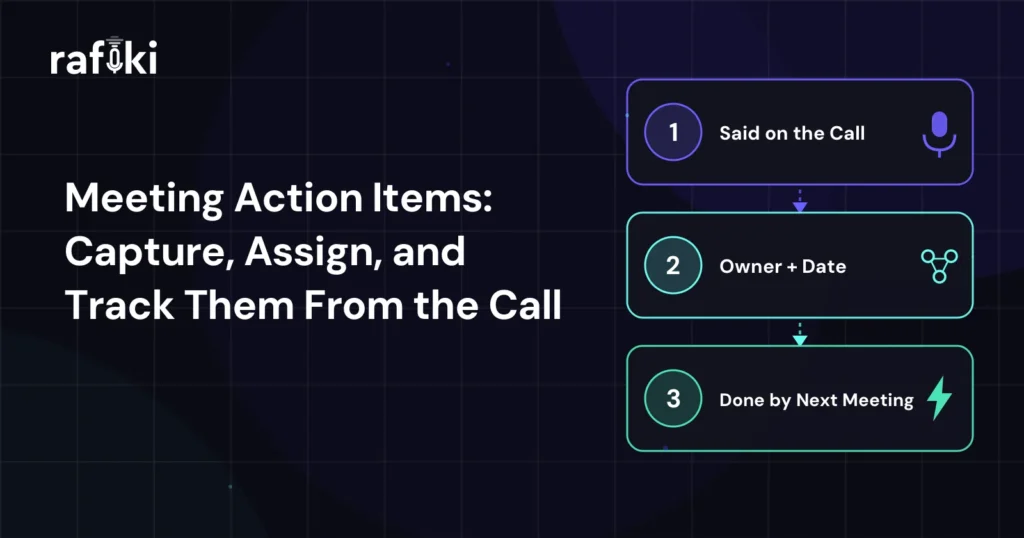
Meeting Action Items: Capture, Assign, and Track Them From the Call
Nov 10, 2026
13 min read
Meeting action items usually die in the last three minutes of a call, when everyone agrees and nobody writes anything down. That is how Simone, a payroll software AE, ended a discovery call with Derek, a trucking firm's operations lead. Derek said he would pull last quarter's driver payroll exceptions, and Simone promised to send the integration guide. Someone on Derek's side also offered to ask IT whether a vendor security review applied.
The call ended at 2:47, and Simone sent her recap from an airport gate at 6:15 that Thursday evening. It thanked everyone for their time and listed two lines under "Next steps": share documentation and review data. Twelve days later, the second call opened with an awkward pause. Derek thought his payroll manager was pulling the exceptions file, but the payroll manager had never heard of it. Nobody had asked IT anything either, so the deal lost two weeks it did not need to lose.
Every person on that call meant to follow through. Each commitment died because it left the call without a name, a date and a clear finish line. Simone could have attached all three before anyone hung up by reading the list back out loud.
A meeting action item is a task that one named person agreed, in the meeting, to finish by a set date. To be usable, it needs an owner, a verb, a deliverable and a due date. With those four parts, anyone who missed the meeting can read it and know what done looks like.
That definition rules out both lines in Simone's recap. "Review data" has a verb but no owner, no deliverable and no date. "Derek to send info" would name an owner, though nobody could tell you which info or when it was due. Both lines read fine at 6:15 PM while the call feels fresh, and both turn useless by the following Tuesday.
Action items also differ from decisions and from discussion notes. A decision records what the group agreed is true, such as "we will pilot with the Dallas terminal first." Discussion notes record what people said along the way. Only the action item tells someone what to do next, so it is the line a buyer has to act on.
Meeting action items die for three ordinary reasons, each rooted in the call's last minutes or the hour after it. The first is memory. A rep who writes the recap three hours later rebuilds the commitments from whatever stuck, so the vague ones fade first. Simone remembered her own promise, but by the time she typed, the IT offer had blurred into "review data."
A missing owner is the second reason. Phrases like "we'll get that to you" sound like commitments on the call, yet they hand the work to nobody. On the buyer's side, "we" might mean Derek or an analyst who never joined the meeting. Each person then assumes that someone else heard the task as theirs.
Burial is the third. Even a well-captured item disappears when it sits as line nine of a recap that opens with three paragraphs of thanks. Derek read Simone's recap on his phone between two yard meetings, and he never scrolled past the thank-you paragraph.
The hours to fix this already exist on paper. According to a May 2026 Gartner survey, AI saves sellers nearly five hours per week. Gartner also found that 72% of sales organizations fail to reinvest that time in high-value activities. A four-minute read-back and a ten-minute recap on each customer call cost far less than those five hours. On Simone's deal, they would have bought back two weeks.
A strong action item has five parts, and it stops working when any one of them goes missing. Four come from the definition above, while the fifth is the one that settles arguments later.
The source matters most for buyer-side items. When Simone's recap quotes Derek saying he could pull the exceptions file by Wednesday, she repeats his own words back to him. An operations lead reads that very differently from a list of homework that a vendor's AE decided to assign.
Each weak item below fails on one or two of the five elements, and a rep can repair it in seconds. The left column comes from the kind of recap Simone sent, and the middle column shows what she should have sent.
| Weak action item | Strong version | Why it works |
|---|---|---|
| Share documentation | Simone: send the integration guide and API overview to Derek by Friday, Oct 23 | Names the owner, both documents, and a date |
| Review data | Derek: send the Q3 payroll exceptions export as a CSV by Wednesday, Oct 28 | Turns an open activity into a file someone can attach |
| Loop in IT | Derek: ask the IT manager whether vendor security review applies and reply by Monday, Oct 26 | Puts one person on the hook for a yes or no answer |
| Follow up next week | Simone: send an invite for a 30-minute pricing call with Derek and his CFO, week of Nov 2 | Gives the meeting a purpose, attendees, and a window |
| Discuss pricing internally | Simone: get deal desk approval for two-terminal pilot pricing by Tuesday, Oct 27 | Names the approval Simone needs before the pricing call |
| We'll get back to you on contract terms | Simone: send redlines on the liability clause to Derek's procurement lead by Friday, Oct 30 | Replaces "we" with a person and a specific clause |
The strong versions run longer, and reps sometimes resist them for that reason. If a rep worries about recap length, she should cut the pleasantries and keep the action items at full size.
Capture meeting action items in two passes. Jot each one in shorthand the moment someone commits, then read the full list back to the group in the final four minutes. The read-back turns private notes into a shared agreement while everyone can still correct it.
During the call, the rep should not try to write polished items. A shorthand line like "Derek / exceptions file / Wed?" holds the commitment and keeps her attention on the conversation. If a buyer offers something without a date, ask for one on the spot by offering two options, such as Wednesday or Friday. A buyer who picks the day has made the date his own.
The read-back is the habit that would have saved Simone two weeks. At minute 41 of a 45-minute call, she could have said she wanted to read back what she heard. That way, nobody would leave with homework they didn't sign up for. She would then go item by item with the owner, the task and the date. On a five-item list, that takes three or four minutes. It is also the moment someone says, "Actually, our IT lead should own that one."
Teams that record calls have a backup for the shorthand, so the rep can check the exact wording of a commitment afterward. Still, a recording cannot replace the read-back. It captures what people said, but only the read-back confirms that everyone agreed to the same list before they hung up. When two people join from the selling side, decide before the call which one tracks commitments. On a complex demo, for example, the SE can keep the list while the AE steers the conversation.
Assign every buyer-side action item to a named person at the buyer, with their agreement on the call. Keep the seller-side items in the same list. One shared list shows the buyer that the deal moves only when both companies act.
Buyer-side items are harder because the rep has no authority over the buyer's calendar. Derek does not report to Simone, and an email that reads like a task assignment from a vendor can land badly. A read-back solves most of this, since the buyer volunteered the task and confirmed the date in front of colleagues. The recap then records an agreement and asks for nothing new.
When a buyer item depends on someone who missed the call, name that dependency in the list. For example, "Derek: ask the IT manager whether vendor security review applies, reply by Monday" tells Derek exactly what to forward. It also gives Simone a polite reason to check in on Monday if nothing arrives.
For deals with many moving parts on both sides, the call-level list should feed a longer shared document. A mutual action plan holds the dated milestones from now to signature. Each call's action items either advance a milestone or add one, so keep the two documents separate. The action list covers the next two weeks, and the plan covers the path to close.
Senior buyers need a lighter touch. An economic buyer who gives you thirty minutes will accept one action item, possibly two, and will resent a list. Our guide to the economic buyer meeting covers how to ask for that single commitment. If the executive hands it to a delegate, write the delegate's name on the item before the call ends.
Track action items by opening the next meeting with them. Spend the first five minutes of every follow-up call on the previous list, item by item, before any new agenda topic.
That opening does two jobs at once. It closes out finished items in front of the people who did them. Stalled items also surface while there is still time to recover the date. Simone's second call would have gone differently with a one-line reminder on Wednesday. She could then have opened by asking Derek whether the file had come through.
Between calls, open items need a home other than the rep's inbox. On a sales team, that home is the next-step field on the CRM opportunity, plus a task for each seller-side item. Keep the next-step field short and dated, such as 10/28 for Derek's exceptions file and 10/26 for the IT answer. A manager scanning the pipeline can then see which deals carry a dated next step and which just say "following up."
Buyer-side items that slip tell you something about the deal, so watch them more closely than seller-side slips. One missed date usually means a busy week, and a short "what changed?" note is enough. Two misses on the same item signal a priority problem at the buyer, so talk to your champion directly.
Frontline managers can check this habit in a weekly one-on-one without listening to every call. Pick two deals, open the last recap, and ask the rep where each action item stands today. If the rep answers in a sentence per item, she is tracking them. A rep who has to search her inbox has lost the thread.
Sales action items differ from internal ones because half the owners work at another company. In an internal meeting, a missed item escalates to a shared manager. On a sales call, by contrast, a missed buyer item becomes information about the deal.
That difference changes how you write them. Internal action items can stay terse, since everyone shares context and the same project tracker. A buyer sits in a dozen other meetings that week, so each sales action item needs enough context to make sense on its own. For example, "Derek: send Q3 exceptions" works in Simone's notes, but the recap should add that the file will size the Dallas pilot.
Sales action items also carry a tone problem that internal ones avoid. A recap that lists five buyer tasks and one seller task reads like a vendor pushing work onto the customer. Give the seller side the larger share, and take on any task you reasonably can. Simone, for instance, could draft the IT question so that Derek only has to forward it.
This template fits in the top half of a follow-up email, above any recap of the discussion. Fill it in during the ten minutes after the call, while the read-back is fresh, and send it the same day.
Subject: Pilot sizing: next steps from Thursday's call

Your side
1. Derek: send the Q3 payroll exceptions export (CSV) by Wed, Oct 28.
   You offered this on the call, and it sizes the Dallas pilot.
2. Derek: ask IT whether vendor security review applies, reply by Mon, Oct 26.
   My draft of the question is below, ready to forward.

Our side
3. Simone: send the integration guide and API overview by Fri, Oct 23.
4. Simone: get deal desk approval for pilot pricing by Tue, Oct 27.
5. Simone: invite you and your CFO to a pricing call, week of Nov 2.

Decision from today: the pilot starts with the Dallas terminal.
Our next call opens with this list.
Two details in this template do most of the work. Each buyer item carries the buyer's own reason, and the last line tells Derek the list comes back.
Simone's shorthand note, "Derek / exceptions file / Wed?", is only as good as her memory unless something else heard the call. Rafiki AI's Notetaking Agent records and transcribes calls on Zoom, Microsoft Teams and Google Meet. It also covers dialer calls through the Aircall and OpenPhone integrations. That transcript is what conversation intelligence reads for commitments. It keeps Derek's exact words, "I can pull that by Wednesday," for the source element of the five-part format.
After the call, the agent writes a Smart Call Summary that includes the next steps each side agreed to. Simone still runs the read-back, and the summary becomes her check on it. If the summary lists an IT question that her own notes missed, she adds it before the recap goes out.
Smart Follow Up drafts the recap email from the same call. Simone reviews the draft, moves Derek's two items to the top and sends it under her own name. With that draft, the 6:15 PM recap from the airport gate could have gone out at 3:05 with dates attached. Our walkthrough of how the follow-up agent drafts each email for rep approval shows that review step in detail.
Teams that add a dated next-step field to the opportunity can have Smart CRM Sync write it from the call. The record then reads "10/28: Derek sends Q3 exceptions CSV" before Simone opens the CRM. Her manager can also run Gen AI Search across the week's calls for buyer commitments. That search shows whether each follow-up call opened with them.
Pick one habit this week and leave the rest for later: the four-minute read-back at the end of every customer call. Ask each AE to run it on their next five calls and paste the read-back list, unedited, into the next-step field.
At the end of the week, pull those records and count how many items lack a named owner or a calendar date. Say a team of eight reps logs 40 calls with 120 items, and 50 of those items have no date. That gap becomes next month's coaching topic, and reps can close it faster than they could learn a new talk track.
Two weeks in, look at the follow-up calls. If they open with last call's list and buyer items arrive closer to their dates, the habit has taken hold. Simone ran the read-back on her second call, and this time Derek named his payroll manager as the owner. The exceptions file arrived a day before the date Derek had picked.
Rafiki AI's conversation intelligence platform starts at $19 per seat per month with no minimums and no annual commitment. Start your free trial today or book a demo to see one of your own calls turned into a dated recap with an owner on every item.
Each answer assumes the AE reads the list back before the call ends, as Simone should have done with Derek.
Meeting minutes are the formal record of a meeting, covering attendance, discussion and decisions. Action items are one section inside the minutes and list only the tasks people agreed to do. For a customer call, skip formal minutes and send the action items and decisions in the follow-up email.
The meeting organizer keeps the list by default, unless they hand it to someone else before the meeting starts. In a large internal meeting, a separate note-taker frees the facilitator to run the discussion. Whoever keeps the list also owns sending it within the same business day.
A useful list fits on one phone screen, and a longer one usually mixes tasks with discussion notes. When a call produces no action items, look again, since nobody agreed to anything that moves the deal. Cut any item that nobody would miss if it never happened.
Yes, paste the open items into the description of the next meeting's invite. A buyer who opens the invite to find the meeting link sees the list again without another email. Update the description as items close, so the agenda shows only what is still open.
Start for free — no credit card, no seat minimums, no long contracts. Just better sales intelligence.