Half an hour of a demo went to repair work after the buyer's procurement lead stopped Nikhil, eleven minutes in, to ask whether he was recording. His team had begun to record and analyze sales calls that month, but nobody had told buyers it was happening. The notetaker had joined from his calendar without a word in the invite or at the start of the call. He stopped the recording, apologized, and spent that half hour rebuilding the trust he had at minute ten.
His manager, Beatriz, heard about it that afternoon and audited the team's setup. Only four of her eight AEs recorded video calls, and nobody recorded dialer calls at all. Two of the other four had switched the recorder off months earlier without telling anyone. The recordings that did exist sat in a shared folder that nobody opened after the day of the call.
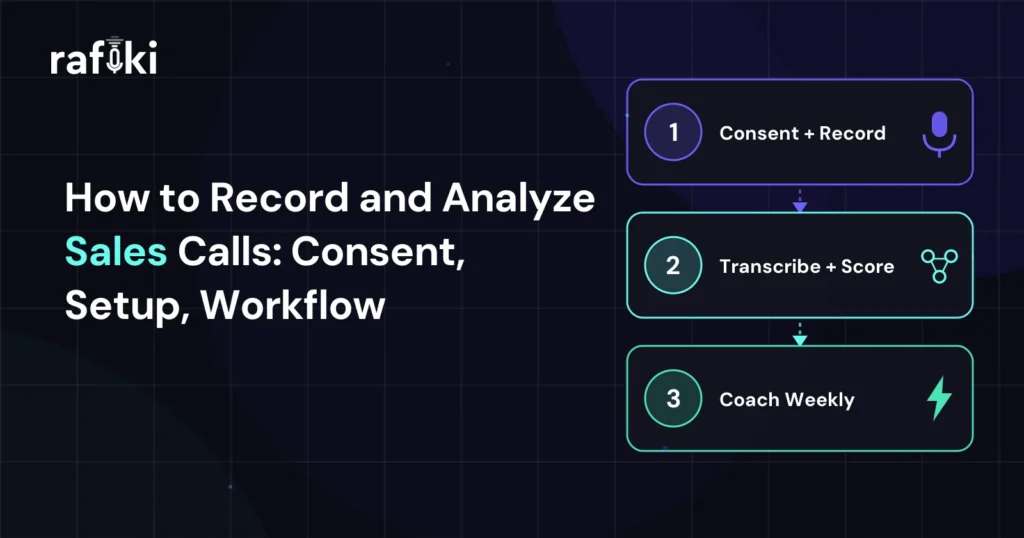
Beatriz fixed it in order, starting with consent and notice, then setup on every channel, then a weekly review hour. The order matters, because a recorder bought first fills an archive that buyers distrust and managers never open.
To record and analyze sales calls, a team needs buyer consent and notice that hold up under scrutiny. It also needs recording that starts on its own and a manager who reviews the calls every week. A recorder covers only the middle step, so Beatriz's team had an archive and no change in how anyone sold.
Analysis is where the value shows up, and it is the step that slips first when the quarter gets busy. A recording pays off when a manager coaches from it or an AE plans the next call with it. If nobody opens it within a week, it adds storage cost and legal exposure and teaches nobody anything.
Recordings also have to reach the deal record to change anything. In Salesforce's State of Sales 2026 announcement, 51% of sales leaders with AI said disconnected systems slow them down. Beatriz's folder was that problem in miniature, with the buyer's words in one place and the opportunity in another.
Before you record anything, decide how your team asks for consent and gives buyers notice on every call. One team-wide policy works better than leaving it to each rep, because a rep under pressure skips whatever is optional.
The simplest policy asks every attendee for consent on every call, so no rep has to work out who on the call needs to agree. Before rollout, have your legal counsel confirm the policy, the notice wording, and how long you keep recordings.
Notice works best when buyers hear it more than once, and Nikhil's team now gives it at four points:
Our piece on the transparent AI notetaker covers how buyers react to each approach. On Beatriz's team, buyers rarely objected once a rep asked plainly in the first minute. The one objection logged that month came from a buyer who had skipped the invite text.
Recording starts differently on each channel, and the channel sets the limits on what analysis you can run. Video meetings give the most data, while mobile calls give none unless the team plans for them.
| Channel | How recording starts | What analysis is possible | Watch-outs |
|---|---|---|---|
| Video meetings (Zoom, Teams, Meet) | Notetaker joins from the calendar | Transcript, speakers, topics, screen-share context | Internal calls recorded by mistake |
| Dialer calls | The dialer integration records each call | Transcript, talk ratio, objections, outcomes | Separate consent prompt for inbound calls |
| Mobile calls | Rep routes calls through a business number | Same as dialer, once routed | Reps calling from personal phones |
| In-person meetings | Rep starts a recording app on the table | Transcript, with weaker speaker labels | Notice is easy to forget face to face |
Video meetings are the easy part, since a notetaker can join any call on the rep's calendar. The setting to get right is the filter, which should record only meetings with an external attendee. Without it, the archive fills with internal standups that nobody agreed to share.
Dialer calls were the biggest gap in Beatriz's audit, because her team ran demos on video and forgot the phone. SDRs and inside sales reps work the phone all day, so a video-only setup misses most prospecting conversations. Connect the dialer to your recording tool directly so phone calls get the same summary and scoring as video.
Mobile and in-person calls need a decision more than a tool. If reps sell from personal phones, give them a business number that routes through the dialer. For field meetings, agree on when a rep should record and how to give notice face to face.
Recording should start on its own for every qualifying call, since any manual step fails on a busy day. Beatriz's two reps who switched off the recorder each did it after a bad call, and nobody noticed for months.
Set the defaults once at the team level, not rep by rep. Auto-join external meetings, and link each recording to its CRM opportunity by the attendee's email or phone number. Reps still need a way to skip a specific call, such as a customer reference call the customer wants kept private. Log every skip so the manager can see a pattern if one appears.
Check coverage weekly for the first month by comparing each rep's calendar and dialer log against the recordings. Ask about any gap of more than a handful of calls. That check caught one rep whose calendar sync had broken weeks before, because his video count read zero. Beatriz fixed the sync in ten minutes.
Start with what a manager can coach in one conversation and what shows whether a deal is moving. Five areas give the fastest return, listed here with the easiest wins first:
Next steps come first because they are easy to check and they fix pipeline problems fast. If a rep ends a third of calls with "I'll send something over," coach that habit this week.
Talk ratio sits last on purpose, even though it is the easiest number to put on a dashboard. Alone, the ratio misleads, because a strong demo and a weak discovery call can share the same number. Read it alongside the question count and the call type before you raise it with a rep.
A frontline manager can review a team's calls in about an hour a week by choosing a few with a purpose. Listening to everything fails by week two, so this routine starts from a question and finds the calls that answer it.
Choose one call from a commit deal and one from a rep you are coaching on a specific skill. The third should be a call the system flagged, such as one that ended with no next step. Read the summaries first and skip anything that looks routine.
Jump to the objection, the pricing discussion, or the close of the call instead of playing it from the start. Ten minutes per call is enough if you know where to look. For each call, write down one thing the rep did well and one thing to change.
In the one-on-one, play the moment and let the rep react before you say anything. Beatriz used Nikhil's next demo, where he gave notice in the first minute and the buyer thanked him for asking. That clip became her example for the rest of the team.
Before the forecast call, scan the summaries of every commit deal that had a buyer call this week. Look for new stakeholders, open objections, and whether the buyer agreed to a next step. Our page for frontline managers covers where this fits in the rest of the week.
Settle retention and access before you record and analyze sales calls at scale, because both get harder to change later. Retention sets your legal exposure, and access decides whether reps feel coached or watched.
Shorter retention lowers risk, but it limits what you can learn from older deals. One option keeps the transcript and summary longer than the audio, since the text supports search and coaching. The audio carries every speaker's voice, so it is the file to delete first. Your counsel and security team should set the actual periods, and RevOps should enforce them in the tool.
Access should follow the job: reps see their own calls, managers see their team's, and enablement sees calls tagged for training. Executives rarely need raw audio, and broad access makes reps nervous about every call they take.
Our post on conversation data governance sets out a full policy. For RevOps leaders, the job is to write it down before the first complaint so nobody invents rules under pressure.
Reps resent recording when managers use it only to catch mistakes. The fastest way to lose them is to play a bad call in a team meeting without warning.
Beatriz set a rule that any recorded call played in a group needs the rep's agreement first. She also shares more good clips than bad ones, so reps connect recordings with recognition. Within a month, two reps were sending her calls they wanted the team to hear.
A second mistake is measuring everything at once, since a dashboard with fifteen metrics per rep tells nobody what to change. Pick one behavior per rep per month, coach it from the calls, and check whether it changed.
Recording calls that nobody reviews is a third mistake, because reps notice when managers open only a handful each week. Either commit to the weekly routine or record less until you can.
The last mistake is rolling out to every team on the same day. Start with one team whose manager already coaches from calls, and let that team settle the notice wording and the skip rules. The next team then hears about recording from peers who use it, which lands better than a policy email.
Rafiki AI joins Zoom, Microsoft Teams, and Google Meet calls and connects natively with Aircall and OpenPhone. That closes the gap in Beatriz's audit, since SDR and inside sales calls get the same summary and scoring as demos.
Among Rafiki's autonomous AI agents, the Notetaking Agent does the recording work: it records, transcribes, and summarizes every sales conversation. Transcription covers more than 60 languages, so Nikhil's calls with buyers in Mexico and Brazil land in the same queue as his English ones. Smart Call Summary writes the recap Beatriz reads on Monday morning to pick her three calls.
For Tuesday's listening, Gen AI Search pulls the moments where buyers asked about security review or pushed back on price. It searches video and dialer calls together, so phone conversations show up too.
Smart Call Scoring can carry a custom criterion, "rep gave recording notice in the first minute," for the problem that started all this. That criterion sits next to MEDDIC, BANT, or SPICED criteria on the same scorecard. After each call, Smart CRM Sync fills the opportunity's methodology and custom fields from the conversation. The buyer's words then sit on the deal record instead of in a folder nobody opens.
Pick the channel where your team has the most buyer conversations, and get coverage there close to complete before you add another. A team that tries to record and analyze sales calls everywhere at once has to debug every setup in the same week. On a demo-led team that is usually video meetings, and on a phone-prospecting team it is the dialer.
In week one, write the notice wording, update the calendar invite template, and confirm the policy with counsel. Turn on auto-recording for that one channel in week two and check coverage by rep. The weekly routine starts in week three, once enough calls exist to choose from.
After 30 days, track the share of external calls recorded on that channel. Then count how many of those recordings a manager actually used in a one-on-one. Beatriz's first month showed full video coverage and a dozen coaching clips, with the dialer still at zero. That result told her exactly which channel to fix next.
Rafiki AI's conversation intelligence platform starts at $19 per seat per month with no minimums and no annual commitment. Start your free trial today or book a demo to record and analyze sales calls from video and the dialer in one review queue.
Settle the notice wording with counsel first, since two of these answers depend on it.
A line such as "Is it okay if I record this so I can focus on you instead of my notes?" gives the buyer the reason and the choice. Then pause long enough for an answer, and stop the recording if anyone hesitates. Repeat the line on follow-up calls too, because new attendees often join a deal late.
Start with external buyer calls only, and add internal ones later if managers want that context. Internal deal reviews can help with coaching, but they carry different expectations of privacy and need their own notice. Get the team's agreement before you turn them on.
They can, but say so in the recording policy before the first call, not after a bad quarter. Reps who learn mid-year that coaching clips feed their reviews stop trusting the program and start switching the recorder off. Tie reviews to trends across many calls, such as next-step rates, and never to one bad moment.
Yes, if the tool transcribes the language accurately, since every analysis step depends on the transcript. Test it on a few real calls in each language your team sells in before rollout. Check names, product terms, and numbers, which is where transcripts usually slip.
Start for free — no credit card, no seat minimums, no long contracts. Just better sales intelligence.